Learn how leading institutions approach art museum website redesign through case studies on digital strategy, UX, and community engagement.
.svg)


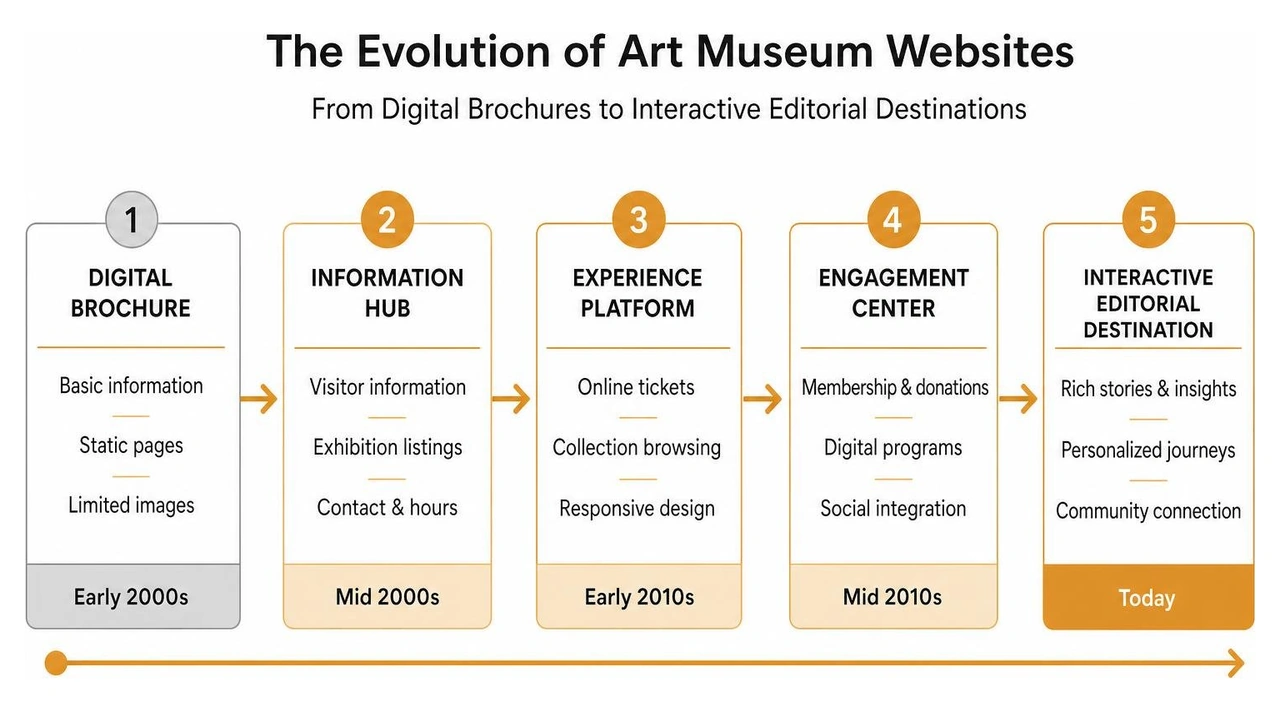
Digital strategy for cultural institutions has shifted over time. In the past, sites were quiet digital monuments. Today, they serve as active hubs for discovery and community connection. Modern cultural centers use their websites to connect physical gallery spaces with online audiences worldwide.
Years ago, a site was mostly a static brochure with an address, opening times, and a couple of thumbnails. Modern audiences expect far more. They want intuitive trip planning, high-resolution collection browsing, and seamless event booking on mobile screens.
A successful art museum website redesign balances day-to-day visitor needs with institutional mission. It gives quick answers to people looking for parking information or current exhibition hours, while offering rich educational context to students across the globe. Designers must structure content so first-time visitors find ticket information in seconds, while repeat members can easily explore upcoming lectures or special exhibitions. You can read more about visual layouts on our page about Museum Website Design Inspiration.
Some modern art spaces choose an editorial model over traditional web structures. Instead of presenting a standard grid of links, they organize homepages like online magazines. They feature original articles, interviews, and curated links to outside art news.
This editorial approach presents the institution as an active participant in world cultural conversations. Museums that adopt magazine-style homepages keep their online content fresh, encouraging art lovers to return frequently. However, running a content publication requires dedicated staff, continuous writing, and careful editorial planning. Museums considering this path should assess their long-term content capabilities using a clear Digital User Experience Strategy.
Looking at real case studies shows how technical setup, open-access policies, and strategic branding come together in practice.
The Art Institute of Chicago executed a major web overhaul that prioritized digital collection access. They released 52,438 public domain artwork images under a Creative Commons Zero (CC0) license.
Key details of this initiative included:
Providing direct access to collection data serves both academic researchers and casual art lovers. By making high-resolution imagery freely available, institutions build lasting educational value and encourage global interaction with their permanent collection. Nearby modern spaces like The Bechtler Museum of Modern Art also show how focused design highlights collection pieces effectively.
When MoMA updated its web presence, the engineering team faced unique technical and design requirements. Serving upwards of 15 million digital visitors each year required a stable, scalable front-end architecture.
To protect curatorial integrity, canonical views of collection artworks were kept completely uncropped. For dynamic marketing banners, the team built photo safe zones and image gravity rules to keep key visual focus points centered across screens. They also constructed a custom Atomic CSS system named after conceptual artist Sol LeWitt, using 14 responsive breakpoints derived from real user data. This systematic modular approach allowed curatorial teams to assemble custom landing pages without breaking design rules or distorting artwork display standards. Read more about these front-end systems in this moma.org Redesign overview.
Visual identity updates often go hand-in-hand with web redesigns. The Philadelphia Art Museum launched an updated brand system alongside a full site overhaul.
This comprehensive project included:
Combining new visual standards with web updates creates a cohesive experience across every touchpoint. Alignment between physical and digital presence builds public recognition and trust across regional and global communities. Institutions like The Mint Museum demonstrate similar care in connecting regional identity with digital accessibility. For more insights on visual strategy, explore our guide to Brand Identity & Logo Design.
Building a museum platform requires balancing design quality with dependable software architecture.
| Design Parameter | Component-Based Architecture | Legacy Monolithic CMS |
|---|---|---|
| Styling & System Control | Atomic CSS tokens with global variables | Mixed custom CSS styles |
| Artwork Safety Rules | Programmatic safe zones & crop rules | Manual image cropping per page |
| Responsive Flexibility | Highly fluid across 10+ custom breakpoints | Rigid grid tiers (mobile/desktop) |
| Accessibility Compliance | WCAG 2.1 AA screen-reader ready | Inconsistent accessibility tags |
Design teams routinely encounter edge cases when displaying complex art collection metadata. Long artwork titles, multi-line artist names, or complex medium descriptions can break rigid layout containers. To solve this, design teams use edge-case layout checks, sometimes called a "Rauschenberg test," to make sure long names wrap cleanly on small screens.
Responsive layouts also need clear image gravity settings (top, middle, bottom) to prevent automatic cropping from hiding key parts of featured art. Setting exact aspect ratio guidelines and dynamic text containers guarantees that artwork records look polished across mobile phones, tablets, and desktop displays. For detail on custom technical builds, explore our page on Website Design & Development.
Site navigation should accommodate different types of users:
Connecting search tools with mobile audio tours and ticket systems creates a unified experience before, during, and after a visit. Clear filtering menus help guests discover related artists, exhibitions, and educational programming in just a few clicks. Read answers to common questions about how we build websites that support exhibitions, programs and events.
A well-designed web presence supports real-world outcomes, helping organizations build public engagement and maintain healthy operations.
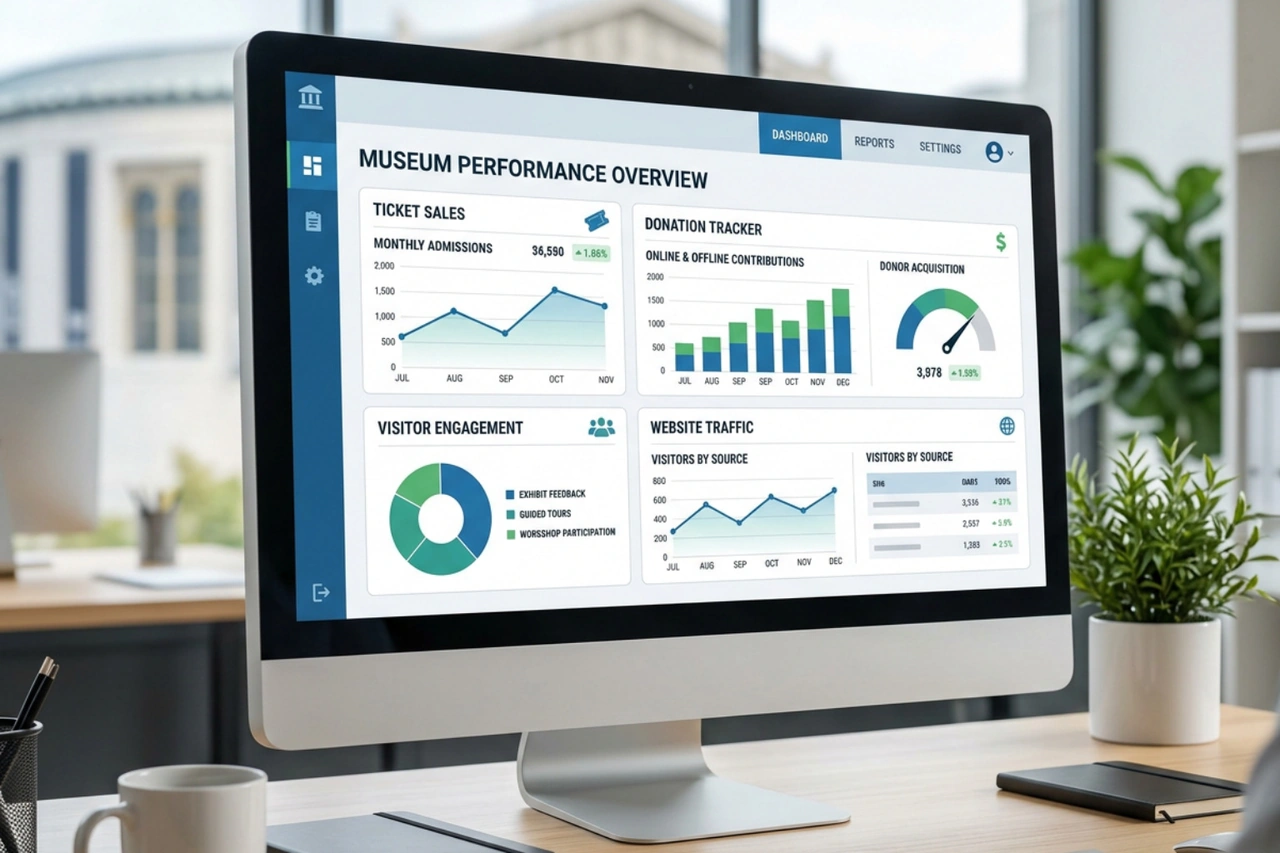
Museums rely on memberships, online donations, and ticket sales. Simplifying donation forms, adding clear calls to action, and integrating secure payment gateways makes giving straightforward for supporters. Frictionless donation workflows encourage quick contributions from visitors who want to support specific education programs or community exhibitions.
To learn more about digital fundraising tools, read our guides on how we build websites with donation functionality and our strategy on how to help increase donations and engagement online.
Maintaining a media-rich site requires ongoing staff resources. Organizations should set up editor workflows that fit their actual internal capacity.
When technical systems match internal staff capacity, updating content remains manageable over time. Simple content management tools allow non-technical museum staff to publish updates quickly without relying on external developers for daily tasks. Check out our case study on The Mint Museum and listen to our discussion on Bringing Creative Energy to an Online Experience at The Mint Museum.
A comprehensive site redesign usually spans 6 to 12 months. This timeframe covers early user research, wireframing, custom engineering, database migration, and testing. Complex collection integrations or custom API connections for ticketing systems can extend timelines slightly. Read more on timeline expectations in our guide to how long a typical website project takes.
A great site balances clear visitor info with engaging content. It loads quickly on mobile screens, meets WCAG accessibility guidelines, and makes ticketing and donating effortless. Clear navigation helps diverse audiences find practical information and collection archives with zero frustration. Explore our full analysis on what makes a great nonprofit website.
Yes. Institutions often update high-priority areas, like ticketing flows or collection search pages, before launching a full site redesign. Phased updates allow teams to test new layout features with real users while keeping core digital services running smoothly. Find out more about iterative approaches on our page asking can you redesign an existing brand or website.

Executing an art museum website redesign takes clear planning, reliable engineering, and deep respect for the art and community involved.
Social Design House is a Charlotte-based 10-person creative studio with 16 years of experience operating as a fractional creative team. Our core services include brand identity and strategy, web design and development on Webflow and WordPress, content creation and copywriting, performance marketing, and our AI Brand Framework.
We love helping cultural organizations share their stories and connect with wider audiences. We believe that clarity is a gift, and our motto is to find your sweet spot. We are excited to keep building awesome, accessible digital platforms for cultural hubs everywhere. Check out our work in Arts & Culture to see how we can support your institution.