Stop losing leads to cluttered UI. Learn how strategic website design for conversion eliminates friction, boosts credibility, and turns visitors into customers.
.svg)


To design a website that converts, give each page a clear goal. Tell visitors what you offer, show them why it matters, and make the next step easy to find. Use one prominent call to action, add proof near key decisions, and keep forms, navigation, and mobile pages simple.
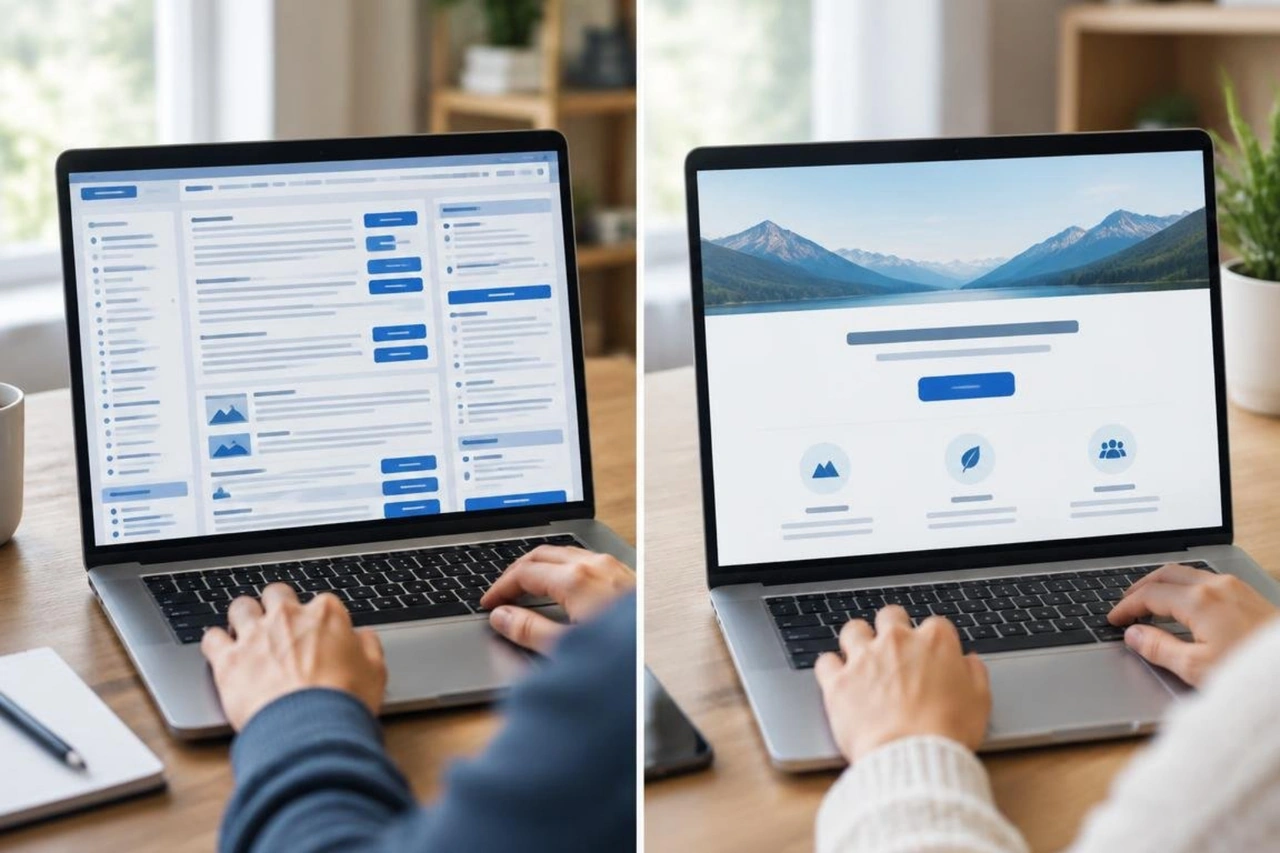
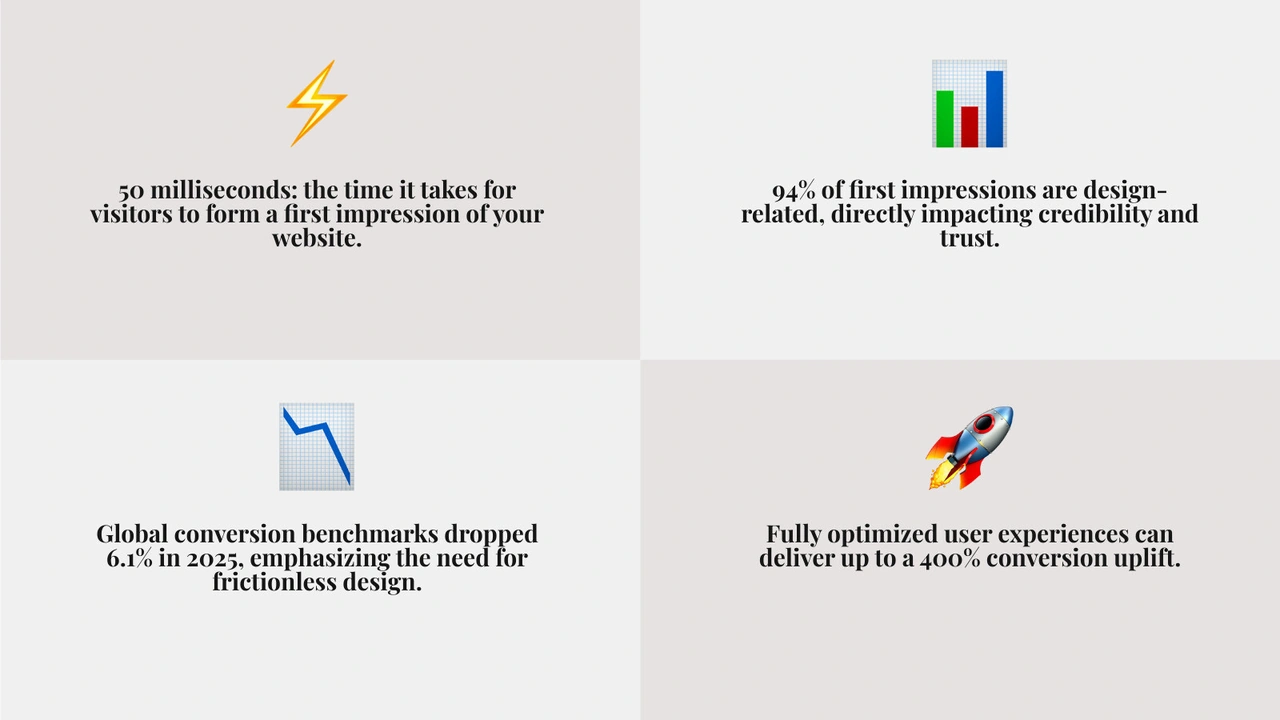
Visitors can form a first impression in as little as 50 milliseconds. A crowded page or unclear path can lose a potential lead before they reach your offer. Clarity is a gift: it helps people understand where they are and what to do next.
I'm Ben Visser, founder of Social Design House, a Charlotte-based creative studio with 16 years of experience building brands and websites. My work in website design for conversion centers on clear messages and user journeys that help visitors take the next step.
Quick look at website design for conversion:
Research from the Nielsen Norman Group shows that 94% of first impressions are determined entirely by design credibility. When global conversion benchmarks experienced a 6.1% drop in 2025, the brands that maintained strong lead volume were the ones that eliminated friction across every screen. Investing in fully optimized user experiences can deliver up to a 400% conversion uplift. When you align your visual hierarchy with real user intent, your entire digital footprint turns into a reliable growth engine.
Great conversion design is simple, not easy. It starts with managing attention ratio. The attention ratio compares the number of interactive links on a screen against the single conversion goal of that page. On a standard homepage, that ratio is often 40 to 1. On a high-performing landing page, it drops directly to 1 to 1.
Every added link, competing banner, or vague headline increases cognitive load. Visitors arrive asking three questions: What do you offer, who is it for, and what outcome can I expect? If your layout cannot answer those questions during the initial five-second test, visitors bounce. Our strategic website conversion design principles address this challenge directly by establishing a clear visual hierarchy that guides users without distraction.
Conversion-centered design relies on seven core foundations that turn casual visitors into active clients:
Applying these foundations creates an intuitive experience that builds confidence and moves prospects forward.
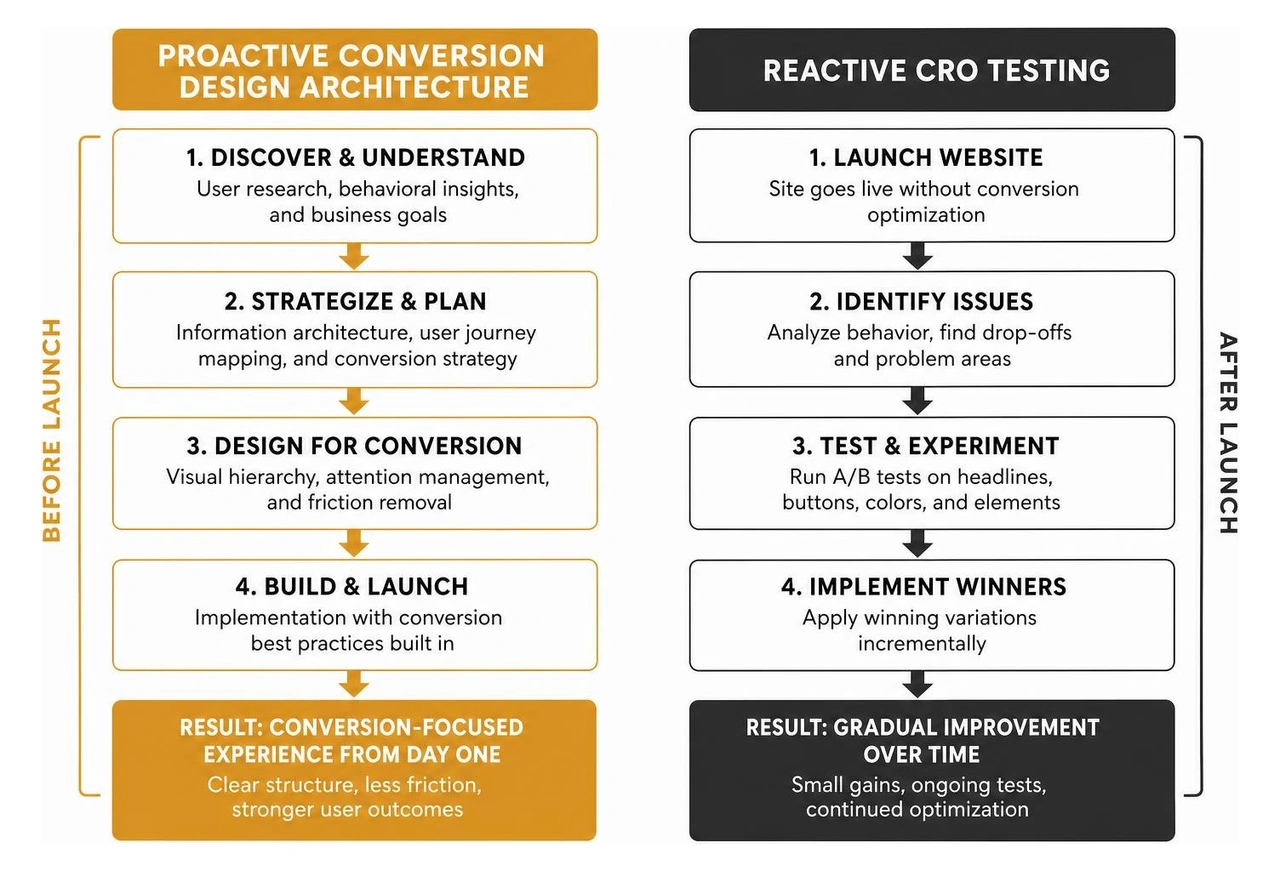
Traditional conversion rate optimization is often reactive. Marketers run small tests on button colors or headline variations after a site is live. Conversion-centered design takes a proactive, architectural approach. It merges behavioral psychology with user-centered design before a single line of code is written.
Our digital user experience strategy establishes clean structural foundations that work right from launch day.
| Design Discipline | Primary Focus | Methodology | Implementation Stage |
|---|---|---|---|
| Traditional CRO | Tactical micro-adjustments | Isolated A/B testing and color tweaks | Post-launch optimization |
| Conversion-Centered Design (CCD) | Holistic user journey architecture | Behavioral psychology, visual hierarchy, and friction removal | Foundational wireframing and build |
| User Experience (UX) Strategy | Total system usability | Information architecture and user research | Discovery and system design |
Visual hierarchy governs how a reader processes information. Visual weight is determined by size, color contrast, and surrounding whitespace. When everything shouts for attention, nothing gets heard. By giving elements room to breathe, you naturally direct the visitor's eye straight toward your value proposition and action buttons.

Eye-tracking studies from the Nielsen Norman Group consistently show two dominant scanning patterns:
For complex product catalogs or portfolios, card-based grids turn varied information into scannable, digestible units. Controlled asymmetrical layouts introduce subtle visual tension that highlights key differentiators without causing confusion. For focused conversion campaigns, single-goal funnel architectures remove global navigation altogether to keep attention locked on the offer. You can explore these approaches in detail in our custom website design guide for modern brands.
About 70% of small business websites still lack a clear call to action on their homepage. That missing element costs qualified leads every single day.
High-converting CTA architecture relies on clear structure:
Friction is any cognitive hurdle, delay, or confusion that slows a visitor down. When user flows become complicated, conversion rates drop fast. If you are experiencing high drop-offs, our step-by-step breakdown on remedying websites that are not converting outlines how to identify and repair those friction points.
Page load speed directly impacts your bottom line. According to Google's web.dev research, pages that load in 1 second convert 2.5 to 3 times better than pages that take 5 seconds. Every additional second of delay costs 0.3% in total conversions, and 40% of visitors abandon pages that take longer than 3 seconds to render.
Mobile devices drive 62.45% of global web traffic, and fully responsive layouts achieve 11% higher conversion rates than rigid alternatives. Fast performance requires optimized code, modern WebP image assets, efficient content delivery networks, and accessible contrast ratios. We build clean systems through high-performance Webflow website development, and we cover our technical hosting standards in our guide on engineering fast and secure web platforms.
Around 38% of first-time visitors look directly at navigation menus to decide whether to stay on a website. Keep your main menu focused:
Social proof reduces perceived risk by showing that others trust your business. Placing clear proof points near decision areas significantly improves conversions.
High-converting placements include:
Designing for conversion is an ongoing practice. Initial wireframes provide a strong springboard, but real behavioral data reveals how visitors actually interact with your content.
User diagnostic tools help you pinpoint friction points across your site:
We explore how we integrate behavioral tracking in our breakdown of incorporating analytics into UX strategy.
A striking 84.6% of web designers state that cluttered layouts are the single biggest mistake growing businesses make. Visual noise overwhelms visitors and hides important information.
Avoid these frequent mistakes:
The most critical element is a clear, outcome-focused value proposition placed above the fold paired with a single, high-contrast call to action. If a visitor cannot understand what you do and how to get started within five seconds, visual polish will not make up for that lost connection.
Page speed impacts conversions immediately. A site loading in 1 second converts at roughly triple the rate of a 5-second site. Keeping Largest Contentful Paint under 2.5 seconds keeps visitors engaged and prevents high bounce rates.
If your site has strong visitor engagement and a solid brand foundation, targeted A/B tests and form adjustments can yield great results. However, if baseline conversions sit below 1%, navigation feels confusing, or the layout fails the five-second clarity test, a full conversion-centered rebuild is the most effective way forward.
Building a high-converting website requires balancing clear brand positioning with thoughtful user journeys and fast technical performance. By removing visual clutter, organizing layouts around proven scanning patterns, and placing compelling proof points near clear calls to action, you create an effortless path for your prospects to take action.
For 16 years, Social Design House has operated as a dedicated, 10-person fractional creative team helping growth-focused brands find their sweet spot. We build web platforms that communicate clearly, engage visitors, and deliver consistent business growth. Explore our approach to conversion design by partnering with a full-service creative agency to build conversion-driven web experiences, and let us turn your website into your hardest-working sales channel.